This is Thanksgiving week in the USA, so the family and I spent some time putting up the Christmas tree, since some of our Thanksgiving guests may not have a chance to come by during the Christmas season (or at least before we clean up the tree).
I decided years ago to move all our Christmas lights to LEDs for several reasons, the reduced current consumption is one of them. The problem that created for us is that our LEDs are too large to fit into some of the ornaments that we have. My wife brought one of those to my attention and I decided to fix the problem using a Stellaris Launchpad that was collecting dust in the basement.
I took a telephone cable and soldered an RGB LED to one end and a plug to the other end that would connect to the ground (through a 330 ohm resistor) and three of the analog pins on the Launchpad.
The code is below:
Could not embed GitHub Gist 7631450: Not Found
The final result is:
Nothing like using a very complex tool for something very simple!
The bus pirate Arduino shield is a discontinued item from Dangerous Prototypes. I picked up the PCB via a free PCB coupon a while back, built it a few months later, and then finally decided to use it because I think I have something to use it with. Note the key word – think. This is what happens when a traffic engineer plays with electronics.
The shield was not easy to get started with, mostly because I had to look (and look, and look) for source. I finally found it on Toby Jaffey’s Github Page. Once I loaded it, I found that connecting with Tera Term (and likely any terminal emulator) on that COM port using 19200 baud 8N1 no flow control worked and I was able to play around doing things like:
>led 1 (turns the mode LED on)
>led 3 (turns the mode LED to a fast blink)
led appears to be 0-6, with 0=off, 6=on, and 1-5 are blink rates, slow to fast.
help and version are pretty self-explanatory.
Stay tuned for more, but in the meantime, here’s a picture of the setup.
The Bus Pirate Arduino Shield is the shield sitting on top of the Arduino in the background. The item in front is the Bus Pirate Demo Board that I’m using to test the shield. There are a few joints that I missed soldering and there are a few missing capacitors.
There’s going to be a lot more to post as I start into this. Incidentally, this is to assist with the Android App.
This is Part 2 of God-Only-Knows How Many. Part 1 is here.
A little progress. My weekend was busy with website design for another site I run, the CQWW contest (I spent only around 45 minutes, only 20 QSOs between interruptions of keeping an eye on my kids and some minor radio difficulties), yard work, and taking a cat to a emergency care center (she’ll be fine, but my finances will not be).
Arduino Code: Minor Fixable Frustrations
The Arduino code is in the repository. I’m not going to copy it here, since it is still not working correctly. Over the past week, I’ve tried three different libraries and I think I’ve settled on using adk.h from http://www.circuitsathome.com/ (you can get it from here). What I DO have is an Arduino that once plugged into my Nexus 7, it will tell the Nexus to open the correct app. That’s pretty darn cool. What I do not have (yet) is the intelligence built into the program to initialize the USB and send data. Possibly related to this, it seems like the Arduino only wants to send data when it has a serial connection open (from the Serial Monitor in the Arduino Dev Kit). I have more work to do.
Android Code: Logging, Logging, and More Logging
I have been writing and rewriting the code trying to get something pop into aLogcat or on the app screen with little luck. I have many lines with Log.d and Log.v to see what is going on. The best I’ve had is a “Data recieved” message*. I have more to do here. And as I indicated above, I ONLY see that message if I open the Serial Monitor.
* = The misspelling was intentional. I can’t seem to spell ‘receive’ correctly to save my life, and there is no spell check in Eclipse.
I finally got around to working on the easy button – I found a decent (not great, just decent) tutorial on the web that discusses sending the status of a button attached to an Arduino to an Android device. I’ve been making changes and learning about bitmasks and bit shifting (something they never teach traffic engineers!).
The initial (key word!) Arduino and Android code is written and up on Github. Right now, I am writing a test routine that will eventually morph into a functional program. I’ve really only spent time on the Arduino
I took the code from the tutorial link above and made quite a few changes.
Before being able to compile the code, you need the microbridge Arduino headers. Then, you have to fix some of the source files – in usb.cpp, max3421.h, and Adb.h, there is an #include “wiring.h” which needs to be changed to “wiring_private.h”. Once you’ve installed the library (copy the files to the Arduino libraries folder in it’s own folder), the following should (key word!) compile and send a binary output string to the serial monitor based on the buttons that are pressed.
The binary strings on the screen represent the buttons that are pressed in the arrangement of 1abc1 where a is 1 if button 1 (pin 4) is pressed, and 0 if it is not, b is button 2 (pin 5), and c is button 3 (pin 6). So…
IN THEORY, this will all be sent to the Android device and the Android will display what buttons are pressed on the screen. I have that designed, but I haven’t tested it and my Android code won’t compile yet. With luck, that’ll be next week’s blog post.
REVISION: Note the fact that the preceding paragraph says “IN THEORY” in all caps. That means that it really doesn’t work at all so don’t use my code… yet. 🙂
On the todo list for this is using interrupts to listen for the button as opposed to listening for a change every 100 milliseconds.
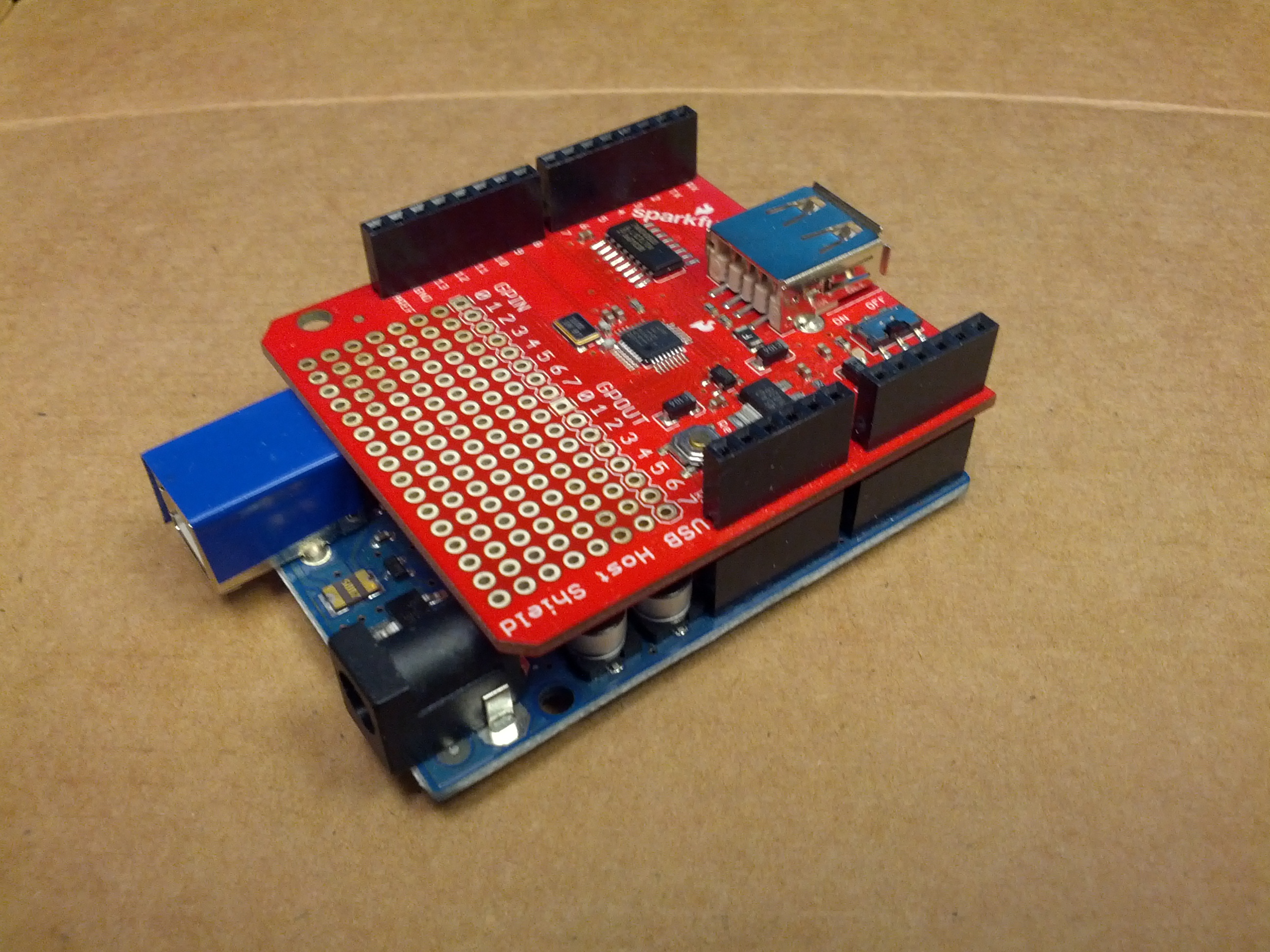
This is – so far – the development device. An Arduino Uno and a USB Host Shield from Sparkfun.
I gave a presentation to the Queen City Emergency Net on October 18, 2013. This was an update of the presentation I gave to Oh-Ky-In last August, which is an update of the Cincinnati FM Club presentation in February, which was an update of the presentation I gave to the Milford Amateur Radio Club a while back. This page is a set of links for those that attended or missed the presentation.
Have an Arduino board but not enough accessories or don’t know where to get started? Seeed Studio has a “Sidekick Basic Kit” that can get you up and running – it doesn’t have an Arduino, but it has a lot of components (etc) to get you started. And it’s $20. Seeed Sidekick Basic Kit ($20)
NOTE: Look hard at what these packs include! There ARE differences.
One of the things I am doing for Halloween involves a pumpkin, a proximity sensor, and a music shield. Unsuspecting suspect comes near pumpkin, and the pumpkin talks to them. This is a very simple item, but one that can be pretty fun and very useful.
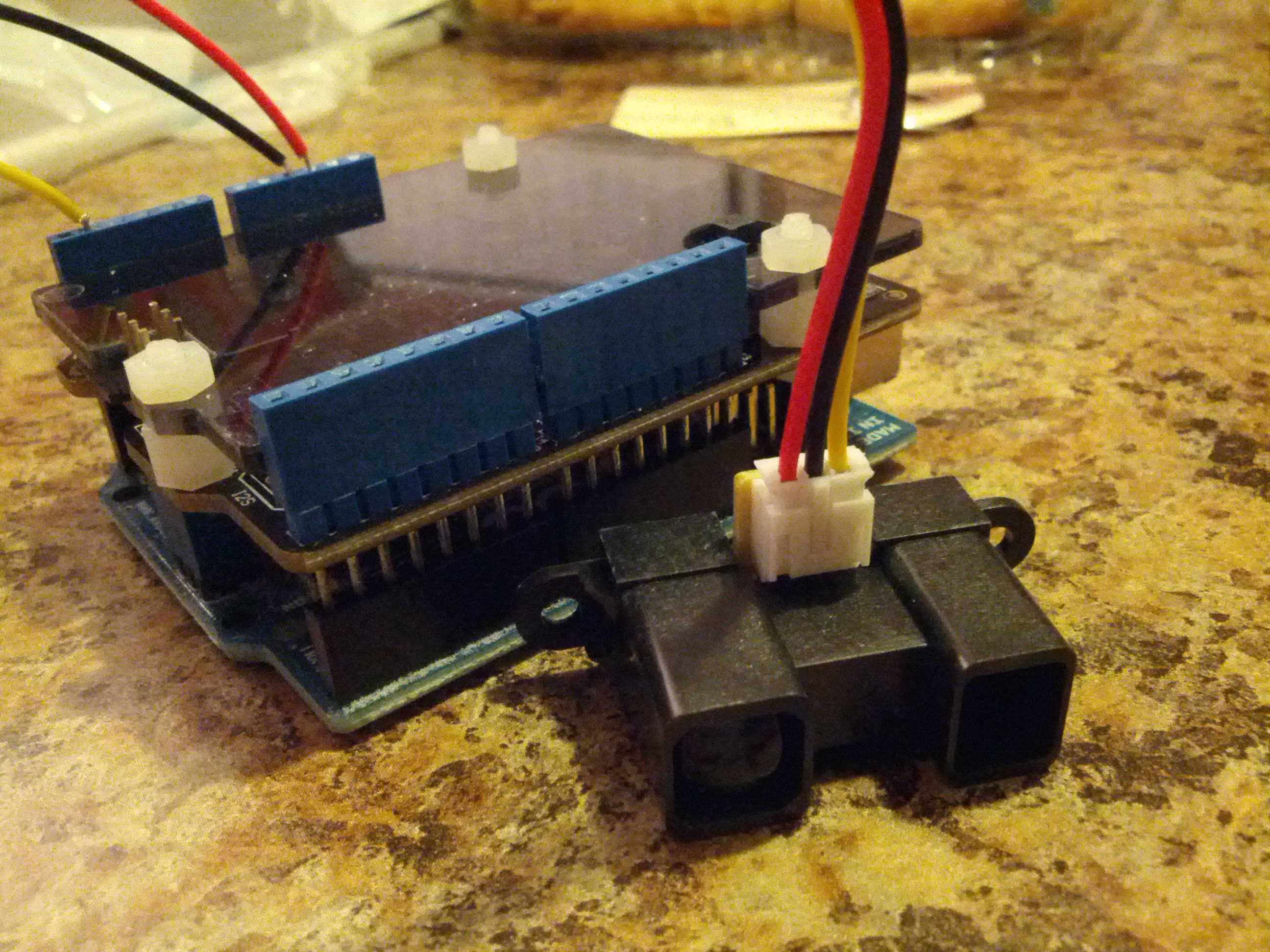
The Arduino is below. This is based on an Uno and uses a music shield and a proximity sensor. The music shield is from Seeed Studio and is the most expensive part (save the Arduino itself). The proximity sensor is a Sharp sensor, which can be bought from several sources. One potential addition may be a small op amp as an audio amplifier.
This is an Arduino Uno with a music shield and a proximity sensor.
I gave a presentation to the Oh-Ky-In Amateur Radio Society on August 6, 2013. This was an update of the presentation I gave to the Cincinnati FM Club in February, which was an update of the presentation I gave to the Milford Amateur Radio Club a while back. This page is a set of links for those that attended or missed the presentation.
Have an Arduino board but not enough accessories or don’t know where to get started? Seeed Studio has a “Sidekick Basic Kit” that can get you up and running – it doesn’t have an Arduino, but it has a lot of components (etc) to get you started. And it’s $20. Seeed Sidekick Basic Kit ($20)
NOTE: Look hard at what these packs include! There ARE differences.
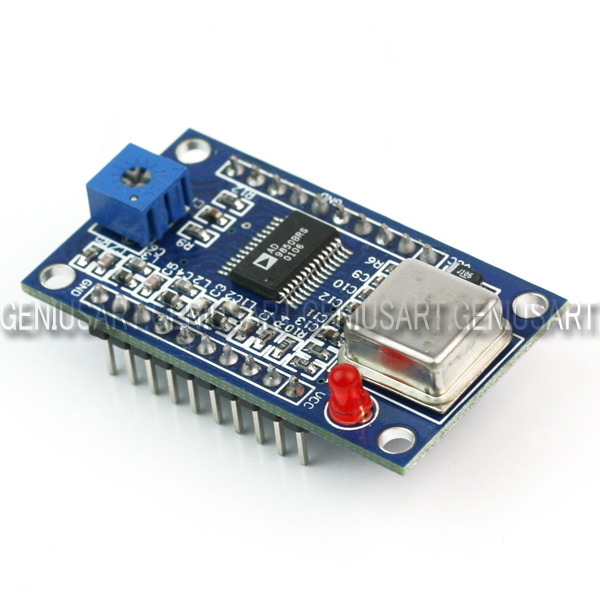
After reading a few blog posts out there from others, I decided that it would be interesting for me to get hold of an AD9851 module. My initial plan is to build an antenna analyzer and something else (I bought two).
The major engine of these modules is an AD9850 Direct Digital Synthesizer. This chip can be purchased in quantity for $15.25 EACH from Newark. From Digi-key, $15.37.
The two modules I purchased on eBay were $8.90. Total. With shipping.
And these modules aren’t just the chip…
So I don’t totally understand how this eBay seller makes money, but it appears he does (it appears he’s/she’s sold quite a few of them, based on their eBay feedback rating). What I do (now) understand is why we no longer do electronics manufacturing in the USA.
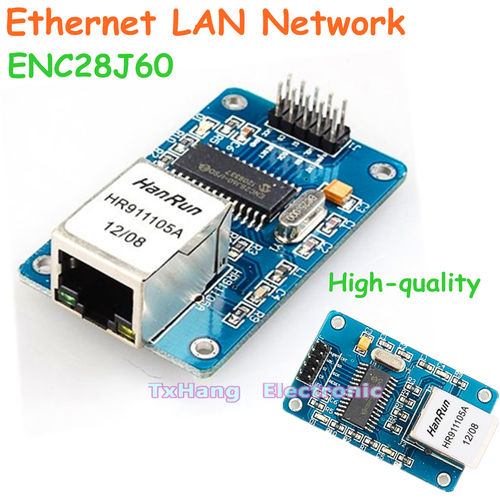
After ordering this (at the time of writing, I’m still waiting on shipping), I started looking in to adding Ethernet capabilities to one of my Arduinos. So I looked in to the ENC28J60-based chipsets. After finding one for £22.90 and one for $35 on Sparkfun, I looked on eBay. $4.09 each from Hong Kong. $2 for shipping. At least this isn’t as egregious as the AD9850 modules, as the ENC28J60 chip is $2.36 in quantity from Digi-Key.
I can’t imagine this is news to anyone in the electronics industry, but I’m just an amateur radio operator and traffic engineer. I found this interesting. And I’m not complaining, as long as this stuff I get from China works! 🙂
Of course, there is a drawback to this – the wait. I got a confirmation of shipment for the DDS modules on March 26, 2013, and they arrived on April 6, 2013. I ordered the Ethernet modules on April 5, 2013, and they have yet to arrive. So there is a delay, but with some planning, a hobbyist like me can deal with it.
I gave a presentation to the Cincinnati FM Club on February 6, 2013. This was an update of the presentation I gave to the Milford Amateur Radio Club a while back. This page is a set of links for those that attended or missed the presentation.